Choose what the asset is used for.
AntiNRML Asset Builder
Open builderGame art docs
Quick reference for first-time creators and production-ready terminology for experienced game artists.
Five checks before an asset enters the game
Clean the crop and alpha.
Match the project camera or deliberately stay screen-space for UI.
Preview scale, pivot and animation if applicable.
Export a lossless runtime file and keep the editable master.
Tiny Rooftop Studio
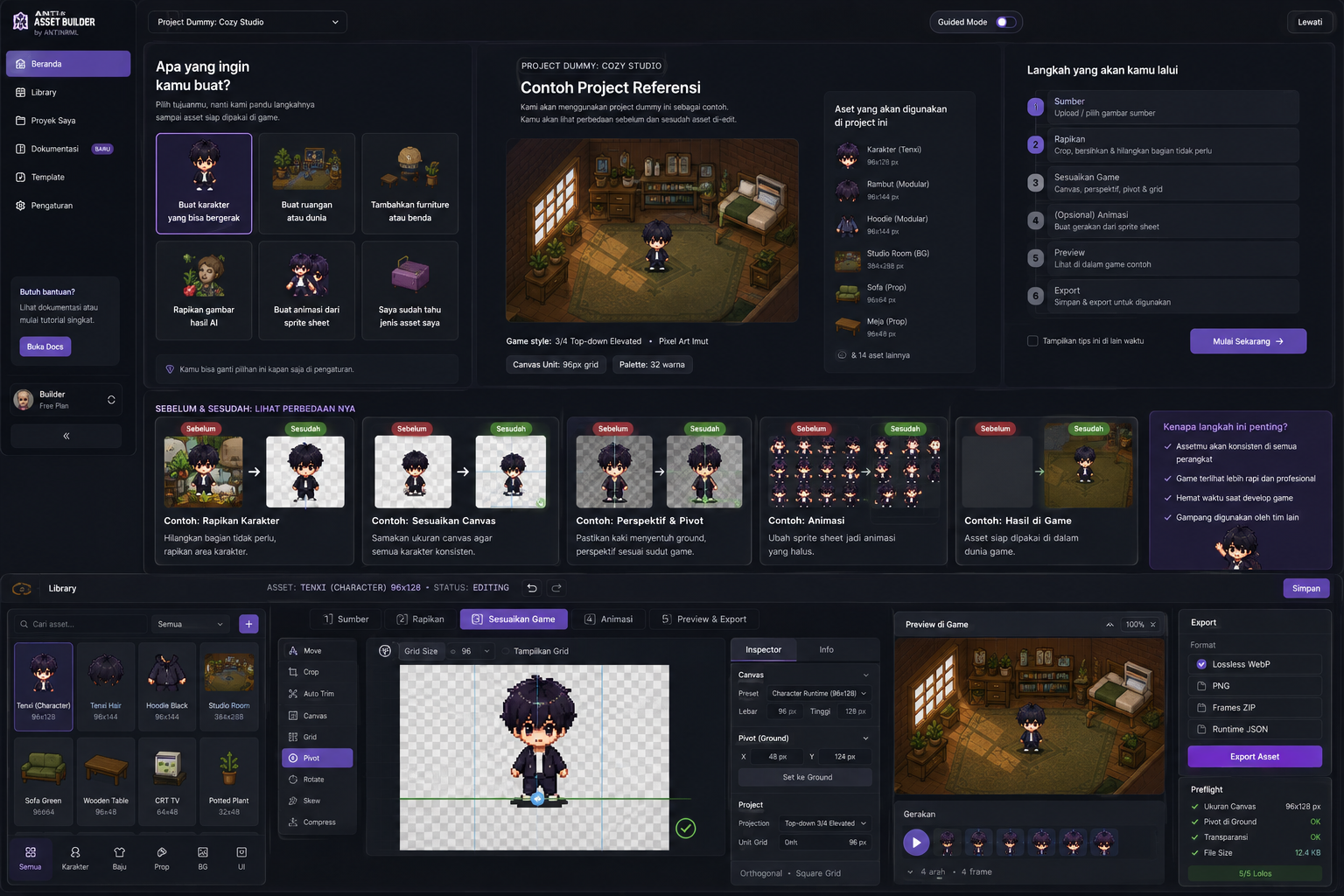 Target result
One coherent 3/4 top-down world: Nara character, a rooftop studio room, reusable props, tiles, idle/walk animation and UI. Use this project as a visual ruler for scale, camera and ground contact.
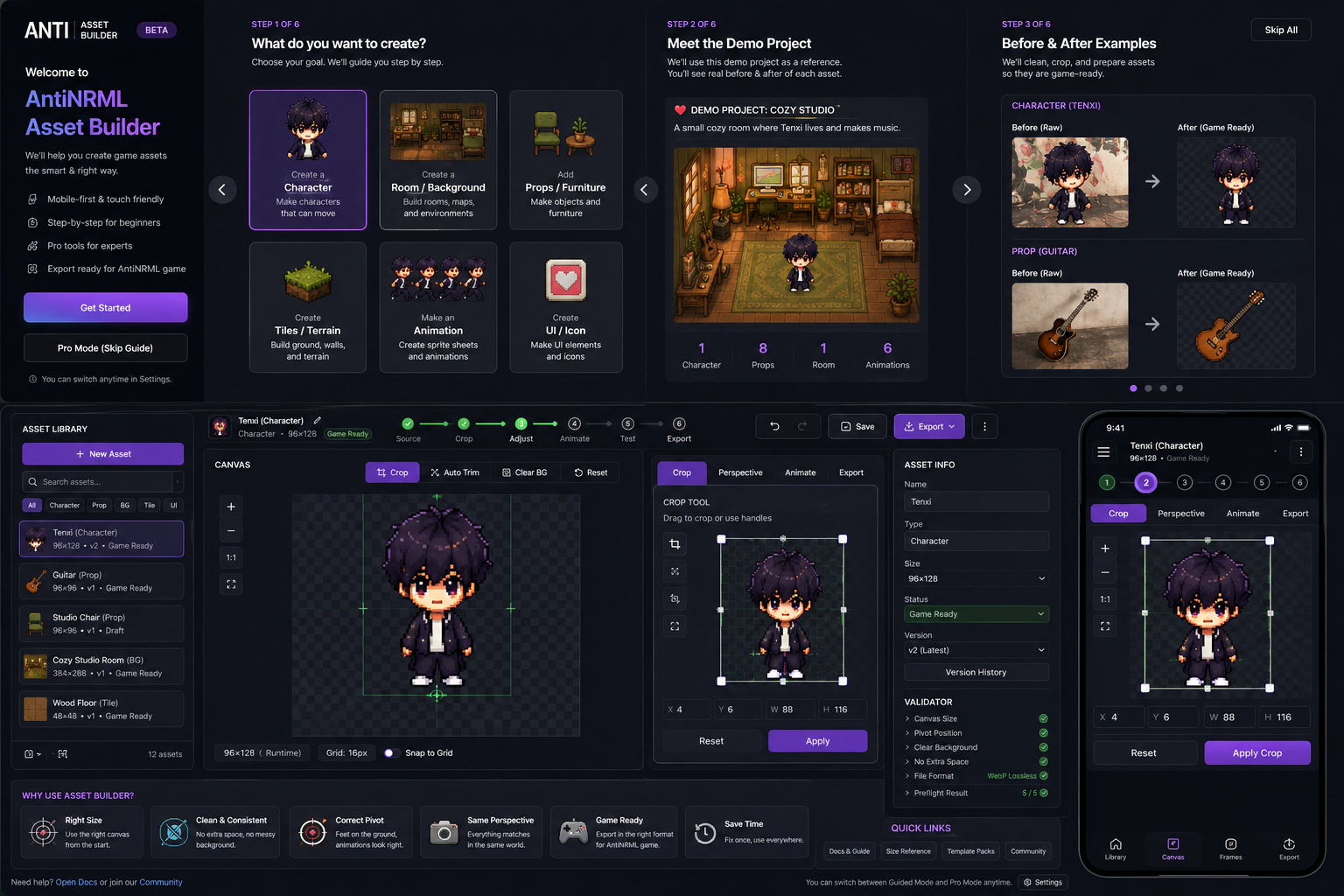 Before → after
Raw source boards can still be useful. The builder turns them into single-purpose assets with clean bounds, consistent canvas, clear pivot and game-ready export.
Asset lifecycleSource→Editing→Validated→Game-ready→In-game
Pick the workflow that matches the job
Character
Player, NPC, artist avatarUse a consistent silhouette, ground contact and camera angle across every direction and animation.
Best practice
- Keep feet/pivot aligned between frames
- Use transparent background
- Match the game camera before animating
- Separate outfit layers when customization is planned
pivotsilhouettedirectional framessprite sheetmodular layersBackground / Room
Room, studio, environmentBackground art establishes the camera. Build it first when many props must share one perspective.
Best practice
- Use one camera/pitch across the whole scene
- Keep walkable space readable
- Separate foreground occluders from the base room
- Do not bake UI into the artwork
camera pitchocclusionwalkable areaparallaxscene layerProp / Furniture
Chair, table, tool, decorationProps need consistent perspective, a predictable pivot and enough empty alpha for clean placement.
Best practice
- One prop per runtime file
- Keep contact point/pivot stable
- Show useful top planes
- Test scale beside a character
originpivotbounding boxoccludercollision footprintTile / Terrain
Floor, grass, wall, terrainTiles must repeat cleanly and align to the gameplay grid before decorative detail is added.
Best practice
- Use exact 48×48 cells
- Check seamless edges
- Avoid accidental perspective drift
- Keep collision meaning consistent
tilesetautotileseamcollision tileterrain transitionAnimation Sheet
Walk, run, emote, activityAnimation quality depends more on consistent framing and timing than on adding many frames.
Best practice
- Stable pivot across frames
- Preview at target FPS
- Keep direction ordering explicit
- Do not mix unrelated actions in one runtime clip
frame cadencelooponion skinfoot slidingframe atlasUI / Icon
Inventory, button, badge, portraitUI assets are screen-space art: prioritize readability, consistent padding and target pixel density over world perspective.
Best practice
- Do not apply world perspective to flat UI
- Test at actual mobile size
- Keep transparent padding consistent
- Export crisp lossless assets
screen-spacesafe areahit targetpixel densitynine-sliceGame camera · Elevated top-down 3/4
Beginner explanation
Look slightly down from above. You should see useful top surfaces, but the front of characters and furniture must still read clearly.
Pro reference · orthogonal-top-down-3qOrthographic / dimetric-like camera over a square gameplay grid. Never diamond-cell isometric.
Rule of thumb: show useful top planes while keeping front faces readable. The gameplay grid stays square; do not convert it into diamond-cell isometric art.
Canonical output canvases
AntiNRML Character Runtime96×128
characterAntiNRML Modular Layer96×144
layerAntiNRML Tile48×48
tileAntiNRML Prop96×96
propWhich format should I use?
Lossless WebP
Preferred runtime delivery. Smaller than PNG while preserving alpha and exact pixels.
PNG
Keep as an editable transparent master or interchange format.
Frames ZIP + JSON
Use for sliced animation/tiles when frame order, timing, pivot or metadata must remain explicit.